
Superbuy QC Photos: Ask the Picture a Specific Question
Superbuy QC photos are useful when they show the exact item and option you need to assess. Begin with a visible question: the size label, included pieces, measurement endpoints, fastening or an area that looks different from the listing.
The public shopping guide describes warehouse inspection and photographs. That service description does not mean every image answers every concern or that a visual check certifies authenticity, comfort or long-term performance.
Match the image to the selected option
For an item received at Superbuy, open its record in My Warehouse to find the associated photos. The shopping-agent guide places inspection and photography after arrival; a seller's dispatch confirmation does not mean those images are already available. Use the received-item record, not a public search result, when checking your own order.
Check the item record before comparing details. A seller image, another buyer's warehouse photo and your selected item's photo have different evidential roles.
Keep the colour, size, version and quantity attached to the image set. If a listing offers several designs, do not use a photograph of one to settle a question about another.
The spreadsheet links guide helps maintain that connection when destinations or options change.
Build a short inspection sequence
Start with identity and contents, then examine the detail that could change your decision.
| Question | Useful visible evidence |
|---|---|
| Is this the selected version? | Label, design and option context |
| Are the expected pieces shown? | A view identifying each included piece |
| Does a measurement answer the fit question? | Readable scale and agreed endpoints |
| Is a specific area concerning? | A clear close-up with enough surrounding context |
A photo can still be inconclusive. Do not turn a dark patch into a claimed stain or a folded garment into a claimed sizing defect without clarifying what is visible.
Two community examples show why the question matters. A photograph of a light patterned shirt shows its design, but without a matching reference under comparable lighting it cannot establish the size of a colour difference. A separate photograph shows a closed carton: it documents the outside of the packaging, not the condition or completeness of the item inside. For those questions, request the comparison view or a view of the contents; do not record an inspection result that the photograph cannot support.
Request the missing observation
The dated service card below shows Detailed Photo at US$0.33/PCS on 1 October 2026. Its description is a personalised high-definition detail. Match any request to the feature you need to see and confirm the current charge; this platform-service illustration does not demonstrate a completed inspection.
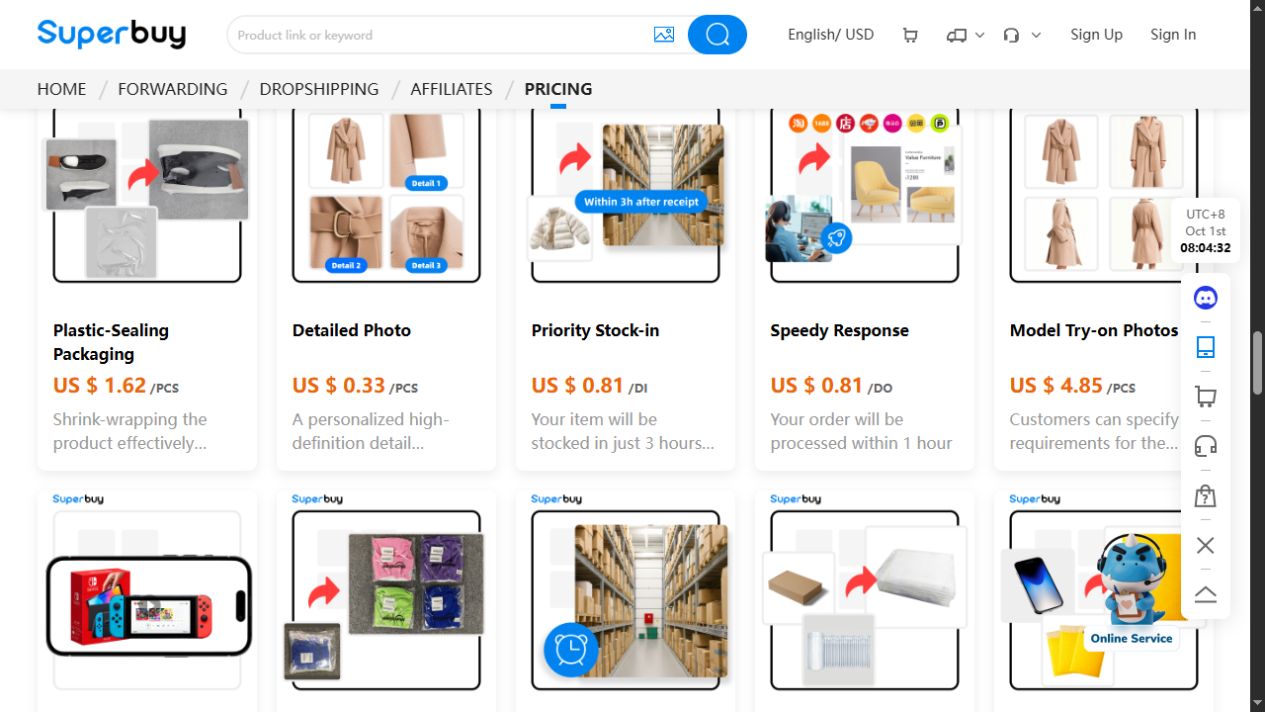
A useful request names the item, option and desired view. For example, ask for the relevant waistband measurement with its method rather than simply requesting “better QC pics.”
The size guide explains why flat width and circumference cannot be interchanged silently. A visible ruler is useful only when it measures the field you intended to compare.
Keep any service charge or availability question separate from the request itself. Do not assume an extra measurement has been accepted or completed until the record supports that.
Understand what a checker, finder or viewer provides
A Superbuy QC finder or viewer may help locate or display images. A Superbuy QC checker may offer an interpretation. Those functions are not equivalent to proving that the images belong to your selected item or that the interpretation is correct.
Check the source, exact version and date before relying on a third-party image set. If those details differ from your order, use the reference to prepare an inspection question, then check the response against photos of your own received item.
The image-search guide distinguishes visual retrieval from a static page opening after an upload.
Separate a quality check from a quality guarantee
A Superbuy quality check can support a visible observation without settling hidden materials, internal construction or durability. Even a clear label does not independently establish provenance.
Use the review guide to distinguish a warehouse appearance assessment from a report after use. A warehouse photograph cannot tell you how the item feels or holds up after repeated wear.
Decide what the observation changes
Record whether the photo resolves your question, requires clarification or supports asking about a return. An unresolved question should not be rewritten as a positive verdict merely to complete the row.
The returns guide helps organise an order-specific request. A concern in a photograph is not automatic approval for a refund.
Can I share QC images publicly?
Check ownership and permission, then remove account details, addresses, order identifiers and unrelated people. A public post is not automatic permission to republish it.
Does more imagery always mean stronger evidence?
No. The relevant angle and correct item matter more than repeated pictures that do not answer the question.
What belongs in my spreadsheet?
The item and option, the observation supported and its date. Keep private transaction identifiers outside your public Superbuy spreadsheet.
Inspect the shirt before choosing an inspection question on Superbuy. Decide which view would show the relevant sleeve, band detail or measurement. Compare photographs of the actual warehouse item with the selected option rather than using catalogue imagery as receipt evidence.